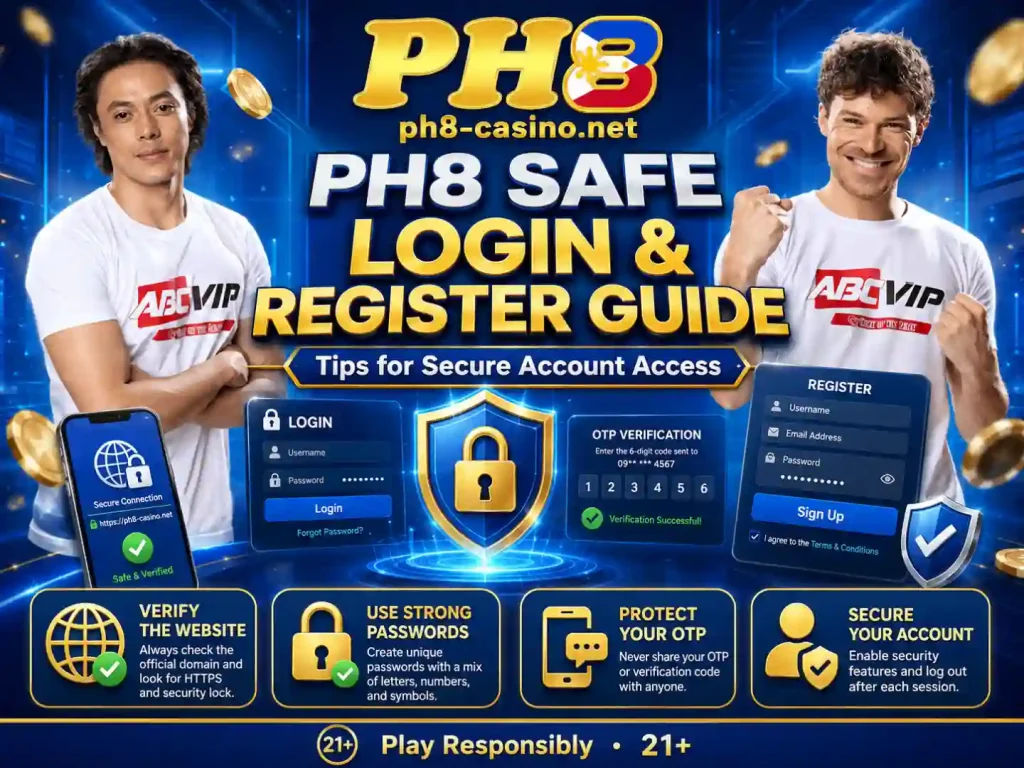
Creating an online gaming account may appear simple: open the website, enter a mobile number, create a password, and confirm an OTP. However, every step involves personal information that could be targeted by fake websites, phishing links, fraudulent support agents, or account thieves.
This PH8 Safe Login and Register Guide explains how to approach account registration, sign-in, verification, password recovery, and device security more carefully. It also covers common login problems, OTP delays, suspicious messages, identity-document protection, and the warning signs of a cloned gaming website.
The purpose of this guide is not to guarantee that a particular website is legitimate. A professional-looking design, recognizable logo, security badge, influencer image, or successful login screen does not independently prove authorization.
Before creating an account, confirm the exact domain, operator identity, terms, privacy policy, age restrictions, and regulatory information. Avoid registering through links sent by strangers, unofficial agents, promotional group chats, or unknown social-media accounts.
Account safety begins before you type your first piece of personal information.
Why Safe PH8 Registration Matters
A gaming account may contain more than a username and password. Depending on the platform, it could eventually be connected to:
- Your full legal name
- Mobile number
- Email address
- Date of birth
- Government-issued identification
- Facial-verification image
- E-wallet details
- Bank information
- Deposit and withdrawal history
- Device and login records
If an attacker gains access, the person may attempt to change your password, redirect a withdrawal, collect additional identity details, or impersonate customer support.
Registration should therefore be treated like the creation of a financial account. Do not rush through the form simply because a bonus countdown or limited-time promotion appears on the screen.
A safer registration process focuses on three questions:
- Am I using the correct website?
- Am I protecting the information I enter?
- Can I securely recover the account later?
This PH8 registration guide addresses each of these areas step by step.
1. Verify the Exact PH8 Website Before Registering
The first and most important step is confirming that you are on the website you intended to visit.
Fraudulent websites may copy the logo, color palette, images, buttons, registration form, and even legal-page layout of another platform. Some fake pages are designed only to collect mobile numbers, passwords, OTPs, or payment details.
Before entering any information, inspect the full address in your browser.
Look for:
- Additional letters or numbers
- Misspelled words
- Unexpected hyphens
- Unusual domain extensions
- Extra words before or after the brand name
- A domain that changes after the page loads
- A login page hosted on an unrelated website
Do not assume that the first search result is automatically the official page. Advertisements and sponsored search listings may lead to third-party or imitation websites.
A padlock icon also does not prove that the operator is legitimate. It usually means the connection between your browser and the website is encrypted. Scam websites can also obtain encrypted connections.
When you have independently confirmed the correct address, save it as a browser bookmark. Use that bookmark for future sign-ins rather than repeatedly searching for the website.
2. Check the Operator and Regulatory Information
Before using the registration form, look for clear information about the organization responsible for the website.
Review the footer, terms of service, privacy policy, responsible-gaming page, and contact section. The information should be consistent across the website.
Check for:
- Operator or company name
- Registered business details
- Customer-support channels
- Privacy-policy information
- Terms governing account use
- Payment and withdrawal conditions
- Responsible-gaming controls
- Stated licensing or regulatory information
A logo claiming that a website is licensed should not be accepted without verification. Compare the exact brand and domain with the regulator’s current records.
PAGCOR maintains regulatory pages and lists covering accredited administrators, registered brands, and registered domains. The regulator also states that Philippine gaming access is for people aged 21 and above and identifies categories of restricted persons.
Do not register when the operator details are missing, contradictory, or impossible to verify.
3. Confirm That You Are Eligible to Register
An account should be created only by a person who meets every legal and platform eligibility condition.
PAGCOR’s responsible-gaming information states that persons under 21 years old are not permitted to gamble. Its rules also identify additional categories of restricted persons.
Before proceeding, confirm that:
- You meet the applicable age requirement.
- You are legally permitted to participate.
- You are not included in an exclusion or restricted-person database.
- You understand the platform’s account rules.
- The service is permitted in your location.
- You are registering for yourself rather than another person.
Never create an account using someone else’s identity, mobile number, e-wallet, or government ID.
The personal information on the account may later need to match the information on the withdrawal method. Using another person’s details could cause verification problems, payment delays, account restrictions, or loss of access.
4. Register Using a Private and Trusted Device
Avoid creating an account on a public computer, borrowed phone, office kiosk, internet café, or unfamiliar device.
A shared device may retain:
- Browser history
- Saved passwords
- Form information
- Downloaded documents
- Screenshots
- Session cookies
- Email login access
Use a personal device protected by a screen lock. Update the operating system, browser, and security software before entering sensitive information.
Also check whether the device has unfamiliar applications, keyboard-recording tools, screen-sharing software, or browser extensions you did not install.
When using a computer, close unrelated tabs and applications. This reduces the risk of entering information into the wrong window or accidentally sharing your screen.
5. Use a Secure Internet Connection
Register through your trusted home connection or personal mobile data whenever possible.
Public Wi-Fi networks at malls, airports, cafés, schools, and transportation hubs may expose users to fake hotspots or malicious network activity. A fraudulent network can use a familiar name such as “Free Mall Wi-Fi” to encourage people to connect.
Avoid registration and financial activity when:
- The network does not require authentication.
- The connection frequently redirects you.
- The browser displays certificate warnings.
- The website address unexpectedly changes.
- The login page appears incomplete or distorted.
- The network asks you to install an unknown certificate or application.
When the connection appears suspicious, close the website and continue later through a trusted network.
How to Register for a PH8 Account Safely
The exact button names and required fields may vary. Use the current registration page as the final reference, and never enter more information than the legitimate process requires.
Step 1: Open the Verified Registration Page
Navigate through the verified homepage and select the registration or sign-up button.
Avoid registration links sent through:
- Unsolicited text messages
- Private social-media messages
- Unknown Telegram or Messenger accounts
- Comment sections
- Pop-up advertisements
- Link-shortening services
- Unverified affiliate pages
Before continuing, inspect the domain again. A fraudulent link may initially appear correct and then redirect to a different website.
Step 2: Enter Your Own Mobile Number or Email
Depending on the account system, registration may require a mobile number, email address, or both.
Use contact information that:
- Belongs to you
- Remains active
- Can receive verification messages
- Is protected with a secure password
- Is not shared with unrelated people
Do not use a temporary email address for an account that may later require password recovery. If you lose access to the email or mobile number, recovering the gaming account may become difficult.
Review every digit before submitting a mobile number. An incorrect number could send a verification code or account notification to another person.
Step 3: Enter Accurate Personal Information
The platform may ask for your name, birthday, gender, location, or other profile details.
Use accurate information that matches your valid identification. Do not use:
- A nickname instead of your legal name
- A false birthday
- Another person’s address
- Edited identity details
- A relative’s payment information
Inconsistent information can delay identity verification or withdrawal processing.
Read the privacy policy before submitting personal data. It should explain what information is collected, why it is collected, how it is stored, and how it may be shared.
Do not continue when the form asks for information unrelated to account creation without providing a clear reason.
Step 4: Create a Strong and Unique Password
A secure password should be unique to the account. Never reuse the password from your email, GCash, Maya, bank, social-media account, or work login.
A strong password should generally be:
- Long
- Difficult to guess
- Different from your username
- Free from names and birthdays
- Free from common phrases
- Stored in a reputable password manager
Avoid passwords such as:
password123- Your first name plus birthday
- Your mobile number
ph812345- A favorite team name
- One repeated word
- A password already used on another website
Password reuse is dangerous because a breach on one service could expose credentials that attackers later test on other websites.
Do not send your password to a friend or support agent. Legitimate support personnel should not need to know your complete password.
Step 5: Complete OTP Verification Carefully
An OTP, or one-time password, may be sent to your mobile number or email to confirm that you control the contact information.
Enter the OTP only on the verified registration page.
Never share an OTP with:
- Customer-support agents
- Affiliate representatives
- Friends
- Tipsters
- Payment agents
- Social-media administrators
- Anyone calling or messaging you
A person asking for your OTP may be attempting to register a device, reset a password, authorize a transaction, or take control of the account.
Read the OTP message carefully. It may state what action the code authorizes. If the message refers to a password reset, payment, or device registration that you did not request, do not enter or share the code.
Step 6: Review the Terms Before Agreeing
Do not automatically select every checkbox.
Review the terms covering:
- Account eligibility
- Duplicate accounts
- Identity verification
- Deposits and withdrawals
- Bonus conditions
- Dormant accounts
- Account suspension
- Personal-data processing
- Dispute procedures
- Responsible-gaming controls
Pay particular attention to whether only one account is permitted per person, household, device, mobile number, or payment method.
Opening multiple accounts to claim additional promotions may violate the terms and lead to account restrictions.
Step 7: Confirm Your Registration
After submitting the form, the platform may display a confirmation screen or send a message to your email or mobile number.
Check that the message contains no unexpected request for:
- An advance payment
- A wallet PIN
- Your complete password
- An additional OTP through chat
- Remote access to your device
- A transfer to a personal account
Do not click a new link simply because it arrives immediately after registration. Return to your verified bookmark and check the account status there.
Step 8: Secure the Account Immediately
Once registration is complete:
- Enable two-factor authentication when available.
- Verify your email address.
- Add a recovery method.
- Review the account profile.
- Check registered devices.
- Activate login alerts if offered.
- Set deposit and time limits.
- Save verified support information.
Do not wait until a security problem occurs before enabling available protections.
PH8 Safe Login and Register Guide for Returning Users
Registration happens once, but login security matters every time you access the account.
6. Use Your Saved Bookmark for Every Login
A common phishing method involves creating an imitation login page that looks nearly identical to the original.
The fake page captures the username and password, then may redirect the victim to the real website so that nothing appears wrong.
Use a verified bookmark whenever possible. Before entering your credentials, confirm:
- The exact domain
- The secure connection
- The expected page design
- The absence of unusual pop-ups
- The correct language and spelling
- The absence of certificate warnings
Stop when the login page asks for information it does not normally require.
7. Avoid Logging In Through Promotional Messages
Promotional messages may contain links for bonuses, free spins, VIP access, account recovery, or urgent verification.
Even when the sender name appears familiar, open the platform through your saved bookmark instead.
Fraudulent messages often use urgency:
- “Your account will be deleted today.”
- “Verify immediately to avoid suspension.”
- “Claim your reward within five minutes.”
- “Your withdrawal will expire.”
- “Your account was selected for a bonus.”
- “Send your OTP to confirm ownership.”
Urgency is designed to reduce careful thinking. Pause, close the message, and inspect the account through the verified website.
8. Enable Two-Factor Authentication
Two-factor authentication adds another verification step after the password.
Depending on the platform, the second factor may use:
- An authenticator application
- Email code
- SMS code
- Biometric confirmation
- Device approval
Authenticator applications are generally less exposed to SIM-related attacks than SMS, but users should select the strongest option that the platform legitimately supports.
Store recovery codes securely. Do not save them in a public note, shared photo album, or unprotected screenshot.
9. Secure the Email Connected to PH8
Your email may be the key to resetting the gaming-account password.
Protect it with:
- A separate, unique password
- Two-factor authentication
- Updated recovery information
- Login alerts
- Regular device reviews
If an attacker controls your email, the person may intercept password-reset messages and hide security notifications.
Review your email account for unfamiliar forwarding rules. Attackers sometimes create rules that automatically archive or redirect messages containing words such as “password,” “withdrawal,” or “security.”
10. Do Not Save Login Details on Shared Devices
Browsers may offer to remember your username and password. Decline this option when using any device that other people can access.
After using a shared device:
- Log out from the PH8 account.
- Close every related tab.
- Clear browsing data where appropriate.
- Log out from your email.
- Remove downloaded documents.
- Check that no password was saved.
Closing the browser window may not fully log you out. Always use the account’s sign-out button.
11. Review Active Sessions and Registered Devices
When the feature is available, review devices that recently accessed the account.
Watch for:
- An unfamiliar phone model
- A location you do not recognize
- A login at an unusual time
- A browser you do not use
- Several simultaneous sessions
- A device registered after an unexpected OTP
Remove unknown sessions, change the password, secure the email, and contact verified support.
Do not assume an unfamiliar location always means an attacker because mobile networks and internet providers can display approximate locations. Treat it as a reason to investigate rather than ignore it.
Common PH8 Login and Registration Scams
Understanding common attack methods is an important part of this PH8 Safe Login and Register Guide.
Fake Customer-Support Accounts
A scammer may create a profile using the platform’s logo and contact users in comment sections or messaging applications.
The person may ask for:
- Password
- OTP
- Government ID
- Wallet PIN
- Deposit receipt
- Remote access
- An account-unlocking fee
Open customer support from inside the verified website. Do not trust an account simply because its profile uses official-looking images.
Cloned Login Websites
A cloned website imitates the real login page and records the credentials entered.
Warning signs include:
- A slightly different domain
- Poor spelling
- Missing legal pages
- Buttons that do not work
- An unusual request for an OTP
- A page opened through a shortened link
- A download beginning automatically
Close the page immediately and change your password through the verified website when you suspect that credentials were entered into a fake form.
Fake Registration Bonuses
A message may promise an unusually large bonus in exchange for registering through a special link.
Read the official promotion rules before acting. Do not provide personal information or make a payment merely because a message claims that the offer is limited.
A bonus should never be more important than account security.
OTP Theft
An attacker may already know your username and password but still need an OTP.
The person may call or message while pretending to be support, a payment provider, or an account-security officer.
Never disclose the code. A legitimate verification process should allow you to enter the OTP directly into the official page.
Remote-Access Scams
A fake support representative may ask you to install an application so the person can “fix” your login or withdrawal.
Remote-access software can allow the attacker to view your screen, control the device, read OTPs, and open financial applications.
Do not install screen-sharing or remote-control tools at the request of a gaming agent.
Fake Application Downloads
A website or message may offer a PH8 APK file or application download.
Installing software from an unverified source can expose the device to malicious code.
Before installing anything:
- Verify that the download comes from the confirmed platform.
- Check the requested permissions.
- Avoid files sent through personal messages.
- Do not disable security protections just to complete installation.
- Stop when the application requests unrelated permissions.
An application used only for gaming should not need unrestricted access to your contacts, messages, accessibility controls, microphone, and other sensitive features without a clear reason.
SIM-Swap and Mobile-Number Attacks
A criminal may attempt to take control of your mobile number to receive OTPs.
Warning signs may include:
- Sudden loss of mobile signal
- Unexpected SIM-registration messages
- OTPs you did not request
- Calls about replacing your SIM
- An account password changing without your action
Contact your mobile provider immediately if your SIM unexpectedly stops working. Secure your email, gaming account, and financial applications from another trusted device.
Troubleshooting PH8 Login Problems Safely
A login problem does not automatically mean the account has been hacked. Work through the issue carefully without exposing more information.
Incorrect Username or Password
First, check:
- Caps Lock
- Keyboard language
- Extra spaces
- Saved outdated credentials
- Whether you are using an email or mobile number
- Whether you opened the correct website
Avoid repeatedly guessing. Several failed attempts may temporarily lock the account.
Use the official password-recovery function when you cannot remember the password.
Forgotten Password
Select “Forgot Password” only on the verified login page.
The process may require:
- Registered mobile number
- Registered email
- Verification code
- New password
Create a completely new password rather than making a small change to the old one.
For example, changing OldPassword1 to OldPassword2 provides limited protection when the first password has been exposed.
After resetting it, log out from other sessions when that option is available.
OTP Is Not Arriving
When a verification code is delayed:
- Confirm that the registered number or email is correct.
- Check mobile signal or internet connection.
- Review spam and junk folders.
- Wait before requesting another code.
- Restart the device if necessary.
- Check whether the provider is experiencing maintenance.
- Contact verified support after repeated failure.
Do not request dozens of codes. Multiple requests can invalidate earlier OTPs or trigger a temporary security restriction.
Only the newest code may remain valid.
Account Is Temporarily Locked
A temporary lock may occur after several incorrect passwords, unusual login activity, or a security review.
Do not pay anyone to unlock the account.
Use official recovery options and ask verified support:
- Why was the account locked?
- How long will the restriction last?
- Which verification information is required?
- Can active sessions be terminated?
- Was any payment information changed?
Keep the support ticket number and copies of the conversation.
Website Is Not Loading Correctly
Try these basic checks:
- Refresh the page once.
- Confirm your internet connection.
- Open the verified domain manually.
- Disable an unfamiliar browser extension.
- Clear the site cache.
- Try a current browser.
- Restart the device.
- Check whether the problem affects another trusted connection.
Do not download a “special browser,” “security update,” or “account repair application” from an unknown pop-up.
Account Details Have Changed
Treat unexpected changes as a possible compromise.
Examples include:
- New mobile number
- Changed email address
- Unknown bank account
- New e-wallet
- Missing balance
- Unfamiliar transactions
- Disabled security settings
Immediately:
- Change the account password.
- Secure the connected email.
- Remove unknown sessions.
- Contact verified support.
- Save transaction records.
- Contact the relevant bank or wallet when necessary.
- Check your device for malicious software.
Do not continue depositing while the issue remains unresolved.
Safe Identity Verification and KYC
A gaming platform may request identity verification to confirm age, ownership, or account details.
Possible requirements may include:
- Government-issued photo ID
- Selfie or facial verification
- Mobile-number confirmation
- Proof of address
- Proof of payment-account ownership
Before uploading a document, confirm that you are inside the verified account portal.
Never send identity documents through:
- A private Facebook profile
- An unknown Telegram account
- A personal email address not listed by the platform
- An unofficial affiliate
- A public comment section
- A file-sharing link from a stranger
Check whether the website explains how the documents will be stored and processed.
Do not digitally alter information on an identification document. Submit clear and authentic information through the legitimate verification channel.
When support requests additional material, ask why it is required and where it should be uploaded.
Protecting Your Privacy After Registration
Account safety does not end when registration is completed.
Avoid publicly sharing:
- User ID
- Account balance
- Deposit receipt
- Withdrawal reference
- Mobile number
- Email address
- Full name
- Government ID
- QR code
- OTP message
- Recovery code
Winning screenshots and transaction receipts may expose information that attackers can use for impersonation.
Before sharing any screenshot, crop or cover personal details. Better still, avoid posting financial-account information publicly.
Review marketing settings and turn off unnecessary promotional notifications when available.
Safe Login Checklist
Use this checklist before entering your account:
- I opened the saved, verified domain.
- The address has no spelling changes.
- I am using a trusted device.
- My connection is secure.
- No one is watching or remotely controlling my screen.
- I am not following a link from an unsolicited message.
- I will not share my OTP.
- I know how to contact verified support.
- My email and mobile number remain secure.
- I will log out after using a shared device.
Safe Registration Checklist
Before completing registration:
- I meet the applicable age and eligibility requirements.
- I independently checked the operator and domain.
- I read the terms and privacy policy.
- I am using my own accurate information.
- My mobile number and email belong to me.
- My password is unique.
- I understand the OTP process.
- I have not paid an agent to create the account.
- I know that bonuses may have conditions.
- I understand that registration does not guarantee winnings or withdrawals.
Frequently Asked Questions
How do I register for a PH8 account safely?
Use a verified website address, confirm the operator information, enter your own accurate details, create a unique password, and complete the OTP only through the official registration page.
What is the safest way to access the PH8 login page?
After independently confirming the correct domain, save it as a browser bookmark. Avoid login links from advertisements, private messages, or unsolicited texts.
Can PH8 support ask for my password?
A legitimate support representative should not require your complete password. Never share your password, OTP, email code, wallet PIN, or recovery code.
Why is my PH8 OTP not arriving?
Possible causes include poor signal, an incorrect mobile number, email filtering, repeated code requests, or a temporary provider delay. Wait briefly, verify your contact information, and use official support when the issue continues.
Can I register more than one PH8 account?
Check the current terms. Many gaming platforms restrict duplicate accounts based on the person, household, mobile number, device, or payment information. Creating extra accounts may lead to restrictions.
Should I use my nickname when registering?
Use the legal name shown on your identification and payment account when the form requests your official name. Mismatched details may cause verification difficulties.
Is an HTTPS padlock enough to prove the website is official?
No. HTTPS indicates encryption of the connection, but a fraudulent website can also use HTTPS. Verify the complete domain and operator independently.
What should I do if I entered my password on a fake page?
Open the verified website directly, change the password, secure your email, remove unfamiliar sessions, enable two-factor authentication, and contact verified support. Change any other account that reused the same password.
Is it safe to send my ID through Messenger?
Use only the verified platform’s secure identity-verification portal or another channel explicitly confirmed through official support. Do not send identification to an unknown personal account.
Is PH8 listed as a PAGCOR-registered brand?
The January 29, 2026 PAGCOR document returned no text match for “PH8” or ph8-casino.net. Check PAGCOR’s latest list before making any licensing statement because registrations and lists can change.
Final Thoughts on the PH8 Safe Login and Register Guide
The safest account is one created carefully and protected consistently.
Verify the exact website before registering. Use your own accurate information, protect your email and mobile number, and create a password that is not used anywhere else. Enter OTPs only inside the verified page and never disclose them to another person.
After registration, enable all legitimate security features, review active devices, and use a saved bookmark for future logins. Treat urgent messages, unexpected account warnings, and private support accounts with caution.
No bonus is worth exposing your password, identity documents, payment information, or device access.
This PH8 Safe Login and Register Guide cannot confirm the legitimacy of every page using the PH8 name. Users must independently verify the exact operator and domain through current regulatory records before submitting personal or financial information.
Responsible Gaming
Registration should never be treated as a commitment to deposit or play. Creating an account does not require you to place a wager, claim a bonus, or continue when you feel uncomfortable.
PAGCOR states that gambling is limited to people aged 21 and above and advises players to treat gambling as entertainment, set time and money limits, expect the possibility of losing, avoid borrowing, and never chase losses.
Use these responsible-gaming practices:
- Play only when you meet every legal requirement.
- Use money you can afford to lose completely.
- Keep funds for food, rent, tuition, medicine, bills, and savings separate.
- Set deposit, loss, wager, and time limits before playing.
- Never borrow money to gamble.
- Do not create another account to bypass restrictions.
- Do not chase previous losses.
- Avoid gambling while stressed, angry, lonely, tired, or intoxicated.
- Take regular breaks.
- Track deposits and withdrawals honestly.
- Stop when gambling affects your responsibilities or relationships.
- Use account limits, cooling-off tools, or self-exclusion when needed.
Warning signs of harmful gambling may include spending more than intended, playing longer than planned, repeatedly attempting to win back losses, accumulating unpaid bills, borrowing money, hiding activity, or experiencing serious emotional distress. PAGCOR identifies these behaviors among the signs of problem gambling.
PAGCOR provides self-exclusion periods of six months, one year, or five years for people who believe they are developing a gambling problem. The first six months of self-exclusion are irrevocable, and the exclusion applies across PAGCOR-operated and regulated gaming facilities.
Protect your identity, secure your account, control your spending, and stop when gaming is no longer safe or enjoyable.